Turn your phone sideways to play Frontline Ops on the full screen.
Frontline Ops
73 plays100% likedAbout Frontline Ops
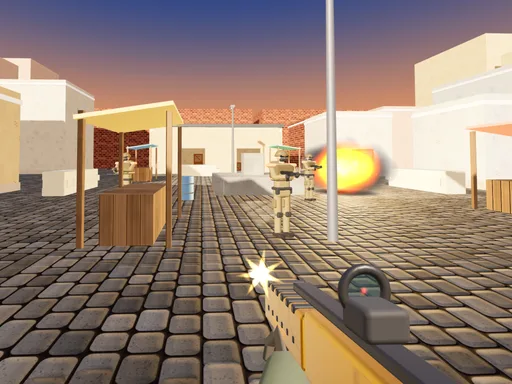
Frontline Ops is a free 3D first-person shooter that runs right in your browser. Drop into fast five-versus-five team battles against smart soldiers who hunt by sound, strafe, fall back when wounded and throw grenades. Fight across Harbor Yard with its container stacks and warehouses, the snowy Frost Depot around an old red barn, and the sunset alleys of the Old Quarter.
Choose your style with assault rifles, SMGs, shotguns, marksman rifles, sniper rifles, light machine guns, a sidearm, knives and frag grenades. Aim down sights, chain kills for radar, heavy armor and airstrikes, and rack up double and triple kills. Play Survival to hold out against endless waves and pick a new upgrade after every wave, or race through the weapon ladder in Arms Race and finish with the knife.
Every match earns XP, coins and rank points. Level up to unlock new weapons, climb from Recruit to Legend, complete missions, claim a daily supply drop and collect weapon skins from camo to royal gold. Your progress is saved, and the game plays smoothly with a mouse and keyboard or with full touch controls on phones and tablets.
How to play
On a computer, click to aim with the mouse, move with W, A, S and D, left click to fire and hold right click to aim down sights. Press R to reload, G to throw a grenade, Space to jump, C to crouch, Shift to sprint, 1 to 3 to switch weapons and Tab for the scoreboard. On phones and tablets, use the left stick to move, drag the right side of the screen to look, and use the on-screen buttons to fire, aim, reload, jump, crouch, switch weapons and throw grenades.